# Set up the Jira issue data
issue_data = {
    "fields": {
        "project":
        {
            "key": "YOUR_PROJECT_KEY"
        },
        "summary": "YOUR_SUMMARY",
        "description": "YOUR_DESCRIPTION",
        "issuetype": {
            "name": "Story"
        }
    }
}

# Convert the issue data to JSON format
json_data = json.dumps(issue_data)

# Set up the HTTP request headers
headers = {
    'Content-Type': 'application/json'
}

# Set up the HTTP basic authentication
auth = (username, password)

# Send the HTTP POST request to create the issue
response = requests.post(url, data=json_data, headers=headers, auth=auth)

# Check if the request was successful
if response.status_code == 201:
    return "Jira issue created successfully"
else:
    return "Error creating Jira issue: " + response.text
Replace the following variables in the code with your own Jira project key, issue summary, and issue description:
YOUR_PROJECT_KEY: The key of the Jira project where you want to create the new story.
YOUR_SUMMARY: The summary or title of the new story.
YOUR_DESCRIPTION: The description of the new story.
Deploy the Lambda function to AWS.
Test the function by triggering it with an event, such as a test event in the AWS Lambda console. If everything is set up correctly, the function should create a new Jira story with the specified details.
THE GRAPHICS CARD’S LIST IS SORTED AS FROM THE HIGH TO THE LOW SPECIFICATIONS.
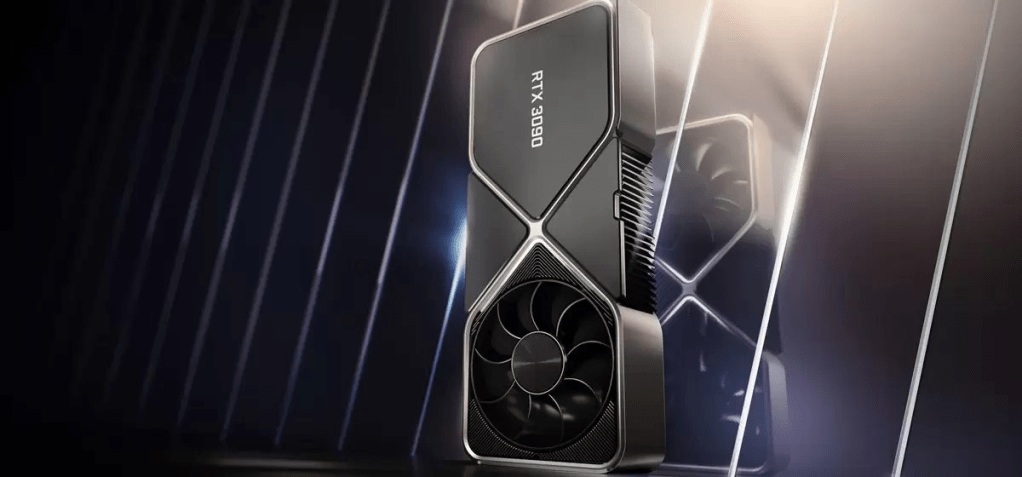
1. NVIDIA GEFORCE RTX 3090
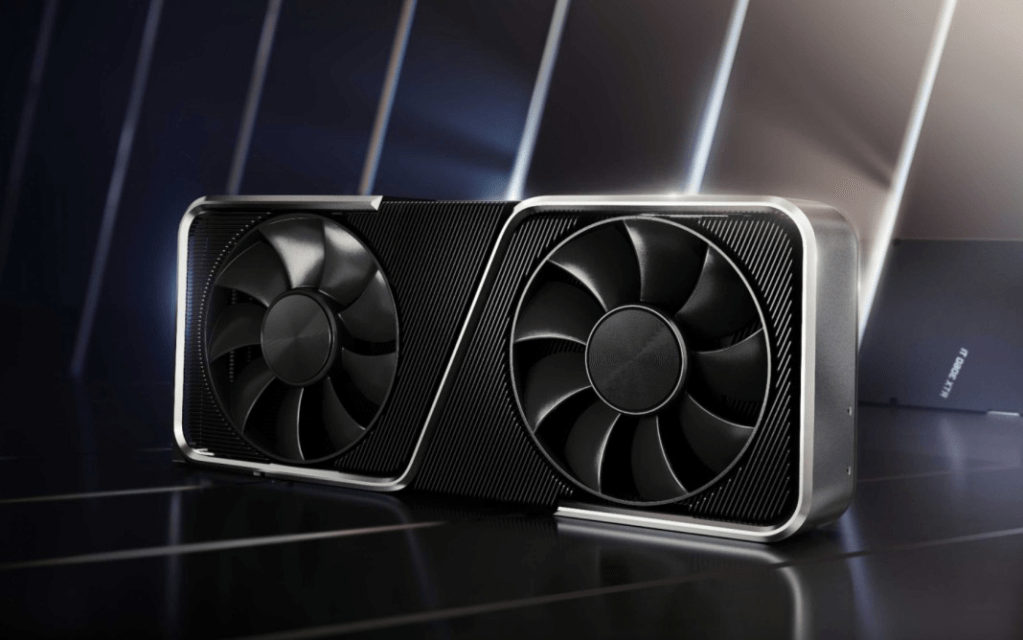
The Nvidia GeForce RTX 3090 is high-end desktop graphics card based on the Ampere generation. It uses the big GA102 chip and offers 10,496 shaders and 24 GB GDDR6X graphics memory. Compared to the slower RTX 3080, the 3090 offers 10 – 20% higher gaming performance, but only above 4k. Still it has not enough power for 8k gaming at maximum detail settings. The RTX3090 is rated at 350 Watt but the power efficiency is still quite good.
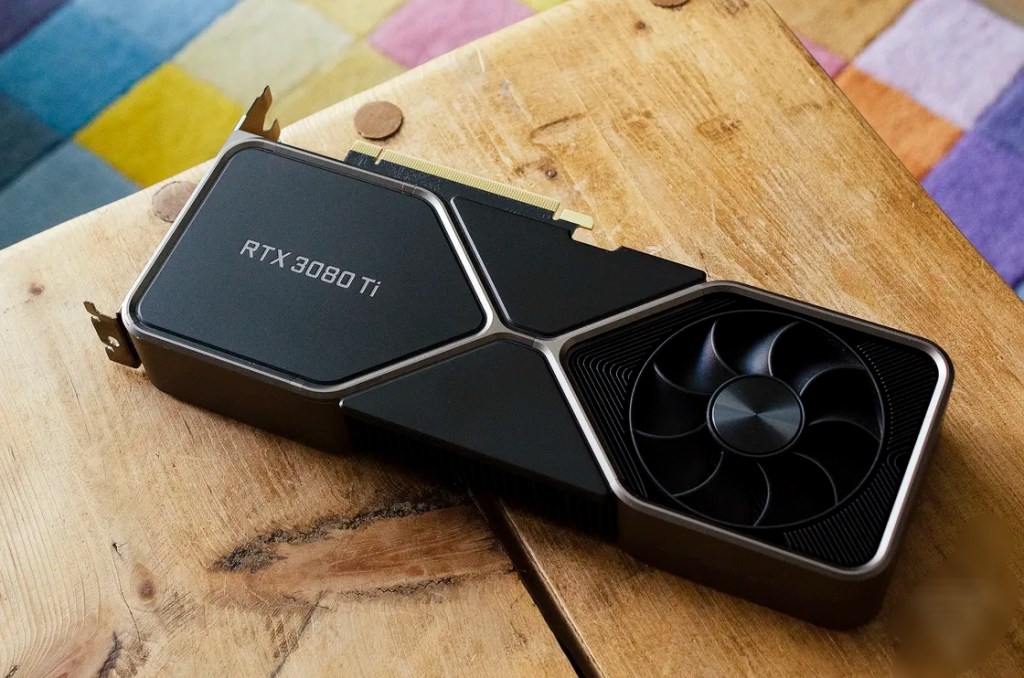
2. NVIDIA GEFORCE RTX 3080TI
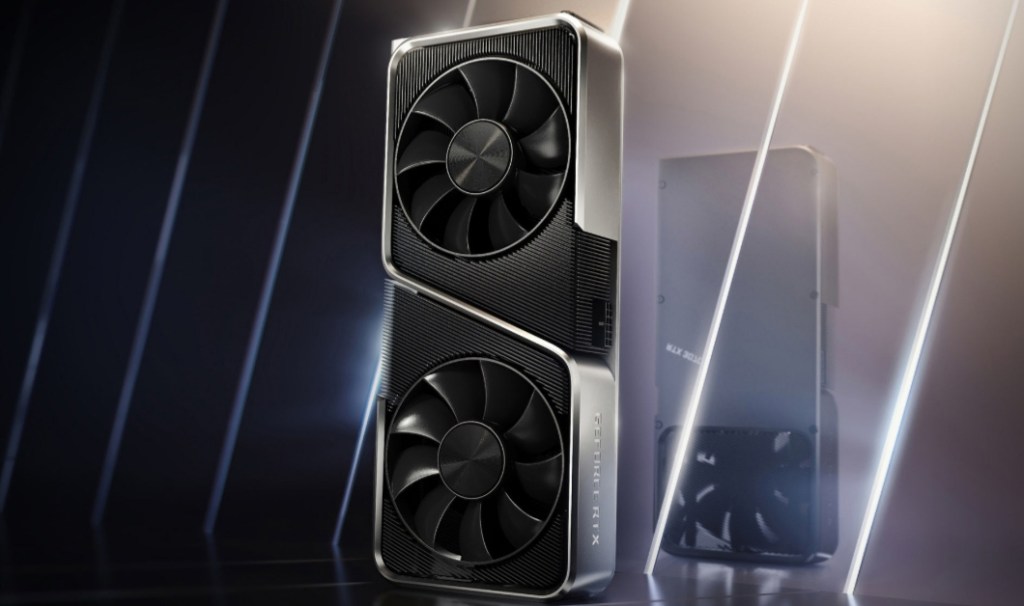
The GeForce RTX 3080 Ti is an enthusiast-class graphics card by NVIDIA, launched on May 31st, 2021. Built on the 8 nm process, and based on the GA102 graphics processor, in its GA102-225-A1 variant, the card supports DirectX 12 Ultimate. This ensures that all modern games will run on GeForce RTX 3080 Ti. Additionally, the DirectX 12 Ultimate capability guarantees support for hardware-raytracing, variable-rate shading and more, in upcoming video games. The GA102 graphics processor is a large chip with a die area of 628 mm² and 28,300 million transistors. Unlike the fully unlocked GeForce RTX 3090 Ti, which uses the same GPU but has all 10752 shaders enabled, NVIDIA has disabled some shading units on the GeForce RTX 3080 Ti to reach the product’s target shader count. It features 10240 shading units, 320 texture mapping units, and 112 ROPs. Also included are 320 tensor cores which help improve the speed of machine learning applications. The card also has 80 raytracing acceleration cores. NVIDIA has paired 12 GB GDDR6X memory with the GeForce RTX 3080 Ti, which are connected using a 384-bit memory interface. The GPU is operating at a frequency of 1365 MHz, which can be boosted up to 1665 MHz, memory is running at 1188 MHz (19 Gbps effective).Being a dual-slot card, the NVIDIA GeForce RTX 3080 Ti draws power from 1x 12-pin power connector, with power draw rated at 350 W maximum. Display outputs include: 1x HDMI 2.1, 3x DisplayPort 1.4a. GeForce RTX 3080 Ti is connected to the rest of the system using a PCI-Express 4.0 x16 interface. The card’s dimensions are 285 mm x 112 mm x 40 mm, and it features a dual-slot cooling solution. Its price at launch was 1199 US Dollars.
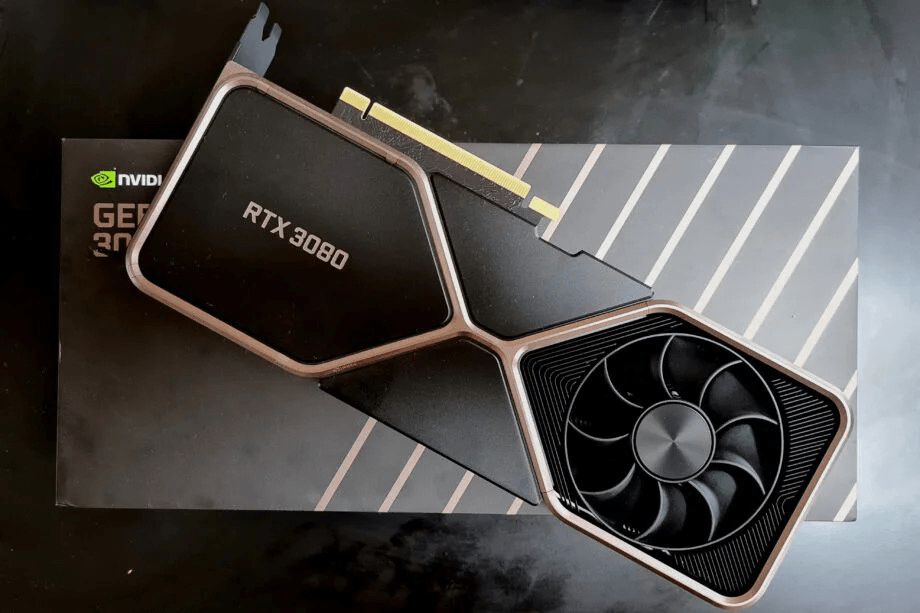
3. NVIDIA GEFORCE RTX 3080
The Nvidia GeForce RTX 3080 is high-end desktop graphics card based on the Ampere generation. It uses the big GA102 chip and offers 8,704 shaders and 10 GB GDDR6X graphics memory.
The gaming performance in 4k is clearly better than the old GeForce RTX 2080 Ti (approximately 15% faster). Therefore, even demanding games should run with maximum detail settings in 4k. Enabling raytracing will however reduce the framerate and therefore maximum details won’t be playable.
The RTX3080 is produced in 8nm at Samsung and rated at 320 Watt but the power efficiency is still quite good.
4. AMD RADEAON RX 6800XT
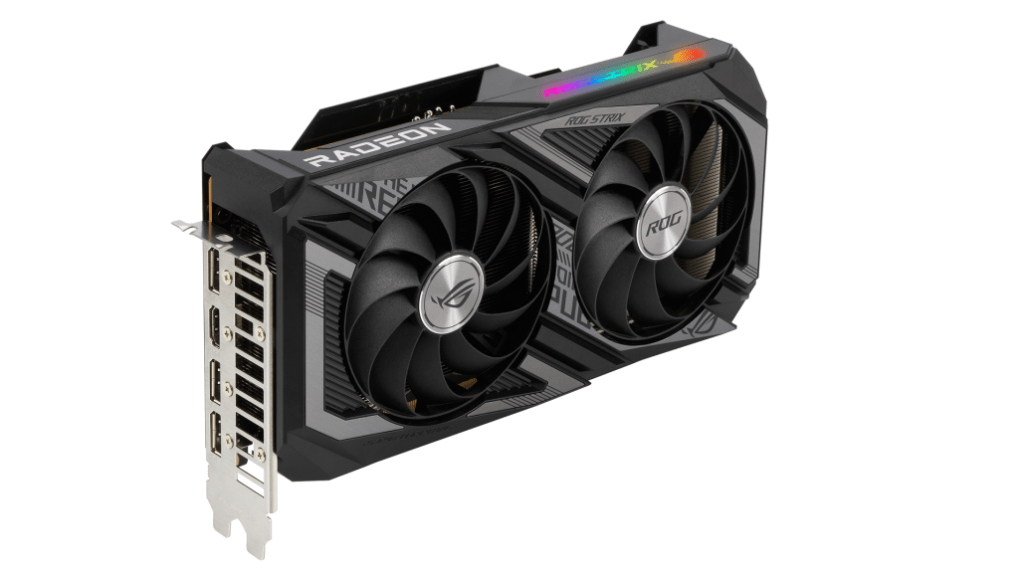
The Radeon RX 6800 XT is a high-end graphics card by AMD, launched on October 28th, 2020. Built on the 7 nm process, and based on the Navi 21 graphics processor, in its Navi 21 XT variant, the card supports DirectX 12 Ultimate. This ensures that all modern games will run on Radeon RX 6800 XT. Additionally, the DirectX 12 Ultimate capability guarantees support for hardware-raytracing, variable-rate shading and more, in upcoming video games. The Navi 21 graphics processor is a large chip with a die area of 520 mm² and 26,800 million transistors. Unlike the fully unlocked Radeon RX 6950 XT, which uses the same GPU but has all 5120 shaders enabled, AMD has disabled some shading units on the Radeon RX 6800 XT to reach the product’s target shader count. It features 4608 shading units, 288 texture mapping units, and 128 ROPs. The card also has 72 raytracing acceleration cores. AMD has paired 16 GB GDDR6 memory with the Radeon RX 6800 XT, which are connected using a 256-bit memory interface. The GPU is operating at a frequency of 1825 MHz, which can be boosted up to 2250 MHz, memory is running at 2000 MHz (16 Gbps effective).Being a dual-slot card, the AMD Radeon RX 6800 XT draws power from 2x 8-pin power connectors, with power draw rated at 300 W maximum. Display outputs include: 1x HDMI 2.1, 2x DisplayPort 1.4a, 1x USB Type-C. Radeon RX 6800 XT is connected to the rest of the system using a PCI-Express 4.0 x16 interface. The card’s dimensions are 267 mm x 120 mm x 50 mm, and it features a dual-slot cooling solution. Its price at launch was 649 US Dollars.
5. NVIDIA GEFORCE RTX 3070
Being a dual-slot card, the NVIDIA GeForce RTX 3070 draws power from 1x 12-pin power connector, with power draw rated at 220 W maximum. Display outputs include: 1x HDMI 2.1, 3x DisplayPort 1.4a. GeForce RTX 3070 is connected to the rest of the system using a PCI-Express 4.0 x16 interface. The card measures 242 mm in length, 112 mm in width, and features a dual-slot cooling solution. Its price at launch was 499 US Dollars.
The GeForce RTX 3070 is a high-end graphics card by NVIDIA, launched on September 1st, 2020. Built on the 8 nm process, and based on the GA104 graphics processor, in its GA104-300-A1 variant, the card supports DirectX 12 Ultimate. This ensures that all modern games will run on GeForce RTX 3070. Additionally, the DirectX 12 Ultimate capability guarantees support for hardware-raytracing, variable-rate shading and more, in upcoming video games. The GA104 graphics processor is a large chip with a die area of 392 mm² and 17,400 million transistors. Unlike the fully unlocked GeForce RTX 3070 Ti, which uses the same GPU but has all 6144 shaders enabled, NVIDIA has disabled some shading units on the GeForce RTX 3070 to reach the product’s target shader count. It features 5888 shading units, 184 texture mapping units, and 96 ROPs. Also included are 184 tensor cores which help improve the speed of machine learning applications. The card also has 46 raytracing acceleration cores. NVIDIA has paired 8 GB GDDR6 memory with the GeForce RTX 3070, which are connected using a 256-bit memory interface. The GPU is operating at a frequency of 1500 MHz, which can be boosted up to 1725 MHz, memory is running at 1750 MHz (14 Gbps effective).
The AMD Radeon RX 6600 is a best mid range graphics card that is based on the RDNA 2 architecture and uses the Navi 23 chip. It offers 1,792 shaders and 8 GB GDDR6 VRAM with a 128 bit memory interface (14 Gbps, 224 GB/s max).
The RDNA2 architecture offers new features like SAM (Smart Access Memory) and Infinity Cache. PCIe 4.0, RIS (Radeon Image Sharpener) and Raytracing support are also included in the RX6600.
2. NVIDIA RTX 3050
The GeForce RTX 3050 is one of Nvidia’s latest desktop GPUs. Unlike the premium RTX 3090, the RTX 3050 is a moderately specced and moderately priced entry-level GPU.
In a world where people are clamoring to get their hands on cards like the RTX 3080ti and RTX 3090, the RTX 3050 is somewhat of an oddity. A card specializing in 1080p/60fps gaming isn’t something most hardcore PC gamers want in 2022. Sure, ray tracing is a great addition, as is DLSS and Nvidia G-sync, but outside of those features, the card isn’t all that impressive on paper.
3. NVIDIA GTX 1660 SUPER
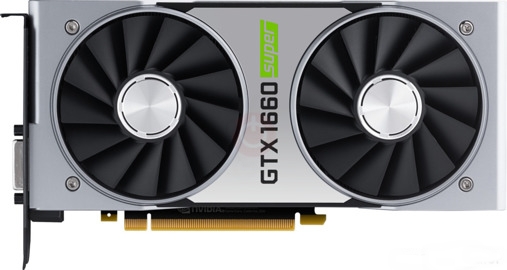
The Nvidia GeForce GTX 1660 Super is a powerful mid tier GPU. The GTX 1660 Super is based on the TU116 chip with 1,408 shader units, 48 ROPs, 88 TMUs and a 192-bit-wide memory bus (GDDR6 clocked at 7 GHz, effectively 14 GHz, bandwidth: up to 336 GB/s).The TU116 chip and other Turing-based GPUs are produced using the 12-nm manufacturing process. However, the GeForce GTX 1660 does not offer the latest features such as DLSS (Deep Learning Super Sampling) and Real Time Ray Tracing. Nevertheless, there are some architectural improvements when it comes to floating point and integer performance. These operations can now be carried out simultaneously.
4. AMD RX 6500XT
The Radeon RX 6500 XT is a performance-segment graphics card by AMD, launched on January 19th, 2022. Built on the 6 nm process, and based on the Navi 24 graphics processor, in its Navi 24 XT variant, the card supports DirectX 12 Ultimate. This ensures that all modern games will run on Radeon RX 6500 XT. The Navi 24 graphics processor is an average sized chip with a die area of 107 mm² and 5,400 million transistors. It features 1024 shading units, 64 texture mapping units, and 32 ROPs. The card also has 16 raytracing acceleration cores. AMD has paired 4 GB GDDR6 memory with the Radeon RX 6500 XT, which are connected using a 64-bit memory interface. The GPU is operating at a frequency of 2310 MHz, which can be boosted up to 2815 MHz, memory is running at 2248 MHz (18 Gbps effective).
5. NVIDIA GTX 1650
The GeForce GTX 1650 is a mid-range graphics card by NVIDIA, launched on April 23rd, 2019. Built on the 12 nm process, and based on the TU117 graphics processor, in its TU117-300-A1 variant, the card supports DirectX 12. This ensures that all modern games will run on GeForce GTX 1650. The TU117 graphics processor is an average sized chip with a die area of 200 mm² and 4,700 million transistors. It features 896 shading units, 56 texture mapping units, and 32 ROPs. NVIDIA has paired 4 GB GDDR5 memory with the GeForce GTX 1650, which are connected using a 128-bit memory interface. The GPU is operating at a frequency of 1485 MHz, which can be boosted up to 1665 MHz, memory is running at 2001 MHz (8 Gbps effective).
This graphic card’s list is sorted from the high to low specification.
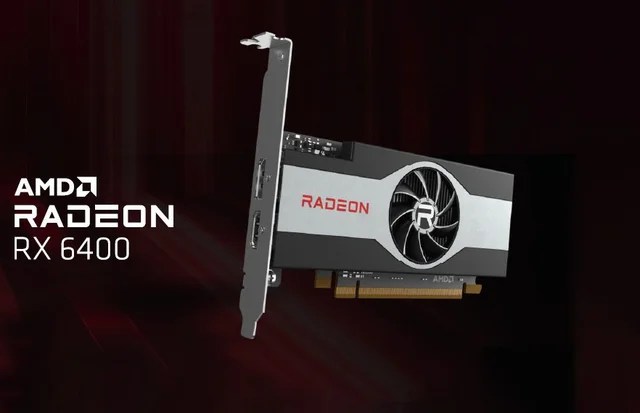
1. AMD RADEON RX 6400
AMD Radeon RX 6400 mid-range GPU for desktop has been launched. The graphics card comes with AMD’s Smart Access Memory technology that is claimed to give a performance boost in gaming. It is aimed at those who seek a compact offering to fit in a small-sized PC. As per a report, the AMD Radeon RX 6400 GPU has been launched with partners including ASRock, Biostar, Gigabyte, MSI, PowerColor, Sapphire, and XFX. The unit has a maximum graphics memory size of 4GB, and has a base frequency of 2039MHz.
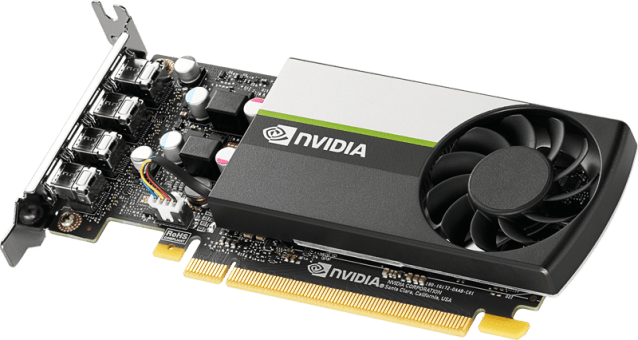
2.NVIDIA QUADRO T600
The Nvidia T600 Laptop GPU (or Quadro T600 for laptops) is a professional mobile graphics card that is based on the Turing architecture (TU117 chip). It is similar to the consumer GTX 1650 with 896 CUDA cores and a 128 Bit memory bus for GDDR6 graphics memory (10 Gbits). The chip is manufactured in 12nm FinFET at TSMC. The T600 was introduced as a refresh together with the T1200 and should be slightly slower than the older Quadro T1000 (2.6 versus 2.5 TFLOPS peak SP performance).
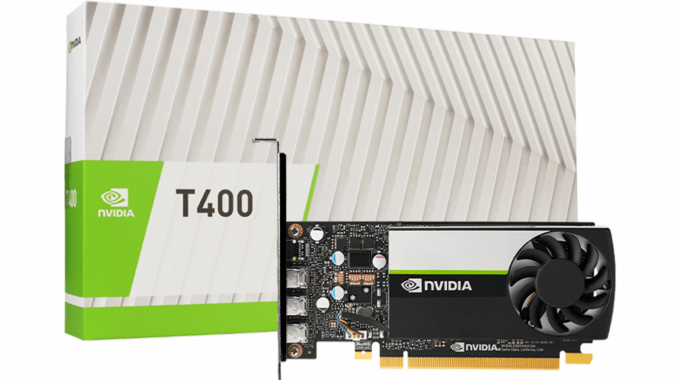
3.NVIDIA QUADRO T400
The T400 is a professional graphics card by NVIDIA, launched on May 6th, 2021. Built on the 12 nm process, and based on the TU117 graphics processor, the card supports DirectX 12. The TU117 graphics processor is an average sized chip with a die area of 200 mm² and 4,700 million transistors. Unlike the fully unlocked GeForce GTX 1650, which uses the same GPU but has all 896 shaders enabled, NVIDIA has disabled some shading units on the T400 to reach the product’s target shader count. It features 384 shading units, 24 texture mapping units, and 16 ROPs. NVIDIA has paired 2,048 MB GDDR6 memory with the T400, which are connected using a 64-bit memory interface. The GPU is operating at a frequency of 420 MHz, which can be boosted up to 1425 MHz, memory is running at 1250 MHz (10 Gbps effective).Being a single-slot card, the NVIDIA T400 does not require any additional power connector, its power draw is rated at 30 W maximum. Display outputs include: 3x mini-DisplayPort 1.4a. T400 is connected to the rest of the system using a PCI-Express 3.0 x16 interface.
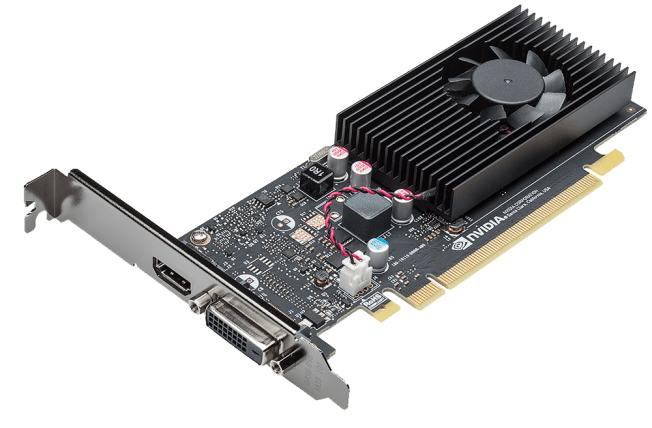
4. GT 1030
The GeForce GT 1030 was an entry-level graphics card by NVIDIA, launched on May 17th, 2017. Built on the 14 nm process, and based on the GP108 graphics processor, in its GP108-300-A1 variant, the card supports DirectX 12. This ensures that all modern games will run on GeForce GT 1030. The GP108 graphics processor is a relatively small chip with a die area of only 74 mm² and 1,800 million transistors. It features 384 shading units, 24 texture mapping units, and 16 ROPs. NVIDIA has paired 2,048 MB GDDR5 memory with the GeForce GT 1030, which are connected using a 64-bit memory interface. The GPU is operating at a frequency of 1228 MHz, which can be boosted up to 1468 MHz, memory is running at 1502 MHz (6 Gbps effective).Being a single-slot card, the NVIDIA GeForce GT 1030 does not require any additional power connector, its power draw is rated at 30 W maximum. Display outputs include: 1x DVI, 1x HDMI 2.0. GeForce GT 1030 is connected to the rest of the system using a PCI-Express 3.0 x4 interface. The card’
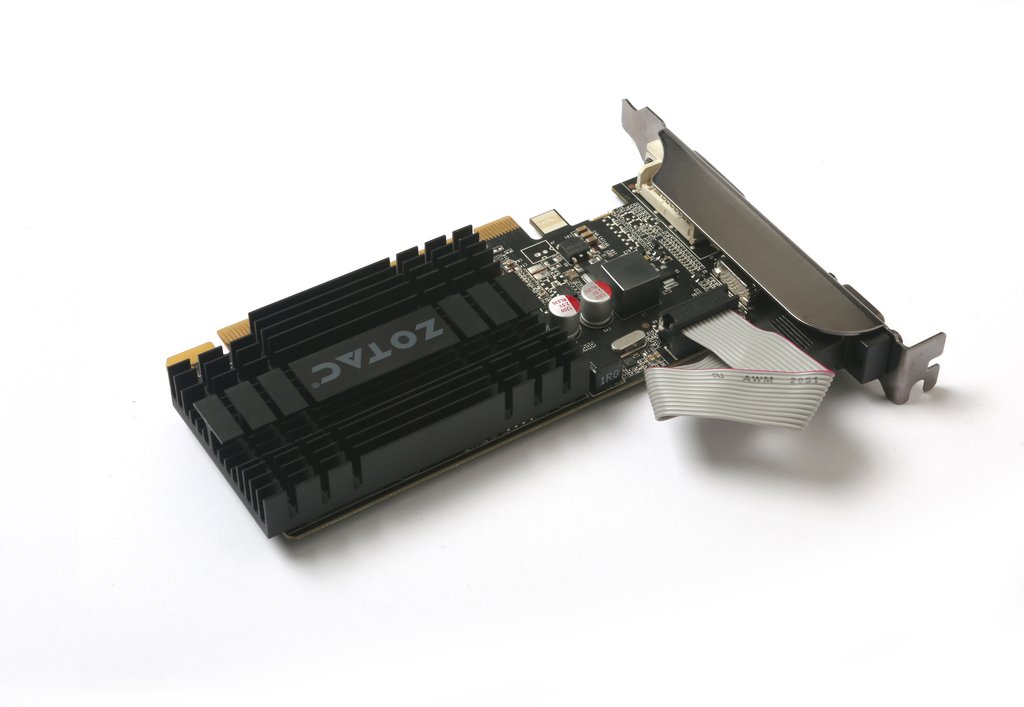
5. GT 710
The Nvidia GeForce GT 710 is an entry-level desktop graphics card based on the old GK208 chip of Kepler architecture. It is manufactured in 28nm by TSMC and can be equipped with a maximum of 2 GB DDR3-VRAM, which is connected via a 64 bit memory bus (24.4 GB/s).The performance is on average slightly below that of the mobile GeForce MX 250 and therefore it is best suited for current games in low – medium detail level.The power consumption is relatively low and, according to Nvidia, specified at 19 Watts.
Lets take a look at my 3 piece case combination that complements apple magic keyboard.
Alright, if you follow me on yotube you wold have seen that I got the Apple magic keyboard to complement my new 2020 iPad Pro and make use of Lates iPad OS 14 features and support for trackpad.
Long story short, I truly love it and I use it more than I imagined. It provides a great typing experience and trackpad support to take your iPad experience to next level. But, Magic keyboard cannot be your ONLY case for iPad Pro. And reason for that is, you don’t need to have access to your keyboard all the time. When you are consuming content at that time you don’t need this keyboard And trackpad.
And, if you are like me you need to have a case on your iPad all the time to keep it safe from occasional mishaps or drops. It doesn’t provide protection on the sides and also your Apple Pencil is left vulnerable to accidents.
At that time, at that crucial time you need a dependable case. I already had this case from Dadanism – I covered it in my previous iPad Pro accessories video.
Although, my existing case is great there is one issue with that. It provides all around protective covering but you have to put your iPad in it every time and take it out whenever you want to use your magic keyboard. Which might not sound like a big deal but when you have to do this 5 to 10 times a day, it becomes a hassle.
So, In order to avoid all that inconvenience and make it little more easier, I have found a perfect combination of cases to address all the issues.
Here comes my first case – Coverbuddy – from …. switcheasy.
This case is good. Made of good quality plastic with inner smooth lining. On the first impression it might look like very thin and flimsy but that is the most important feature of this keyboard.
You have to snap your iPad in it and it covers your iPad completely from 3 sides and back. On the bottom there is no protection. But that is fine. It has got precision cut out for volume buttons, as well as power buttons, 4 speakers and microphones .
Also, you can securely place your Apple Pencil on the top For charging when not in use.
These are very common and kind of expected features of any case, but where this coverbuddy differs from othe cases is its compatibility with apple’s magic keyboard. You can directly place it on the magic keyboard and it is Designed to blend seamlessly.
See it has Got these 3 pins that will help connect your magic keyboard and also charge it when plugged to power. It seamlessly blends in with your apple magic keyboard. You can even close it and it will almost fit perfectly. I said almost because, notice it when it is kept like this, keyboard doesn’t shut completely on its own. It is not a big deal at all, just wanted to point that out to you guys… if that is something which would bother you. In all other ways it fits perfectly. and when you are done with your work, just pick your iPad and you are ready to use it for reading or watching videos.
Now, you would be wondering that you are not going to hold the iPad in your hand alt he time. There comes my bonus $8 case (Affiliate Link: https://amzn.to/2V8lHEU) that looks premium and offers you the flexibility to use your iPad with cover buddy. Basically it is the same idea like magic keyboard. It has got magnets on the back that helps to keep your iPad attached to the case. It fits your iPad Pro with coverbuddy case seamlessly. Build quality is great, feels premium in hand with this inner smooth surface to keep your iPad in pristine condition. So, these 3 cases provides great protection to my iPad Pro and at the same time provides a seam less experience of switching between them. Let me know in the comments section what’s is your preferred collection of cases.
DISCLAIMER: This http://www.novasempire.com and description contains affiliate links, which means that if you click on one of the Amazon product links, I’ll receive a small commission.
5 reasons why Sigma 24-70 f2.8 should your first lens for Sony e-mount camera
5- Build Quality
This lens is built like a tank, it’s all metal design feels so good in hand. All the functions and buttons it has got are comparable to Sony Gmaster lens. This zoom ring is great and you can lock it too. I found the dampness is perfect too for focus ring.
Outside build quality just half the story, I am sure the internal glass components are great too because picture quality is crisp and sharp. That brings us to our 4th reason.
4- Picture Quality
I have been using this lens for more than a month now and I found that the picture quality is great – I also have Sony 16-35mm Gmaster lens and I cannot see the difference between their picture quality – sharpness and vibrancy of picture is at par with Sony.
3- focal range on the wider side 24is just enough wide and 70 is just enough telephoto
24-70 is a perfect focal length, it gives great flexibility with f2.8 aperture – its a fast lens and amount of light you can get under low light situations is amazing. It can replace all you prime lenses from 24mm to almost 85mm. And f you just want to buy one lens this should be your lens because it can handle most of the situations.
Obviously, if you have a specific use like sports photography, then you will have to go for 100 to 400mm lens or 12-24mm super wide lens for real estate photography.
But in all other Norma scenarios this lens will handle everything.
2- That bokeh – if you are not aware of that term bokeh or bokah – that background blur you get is called as bokeh – it keeps your subject in focus with background blur
Obviously you will get even creamier bokeh from fast 1.4 prime lens but this is perfect too…
1 – And finally – the price – Let me tell you one thing, I am using 16-35 Gmaster lens and build quality wise – picture sharpness wise – Altus focus capabilities wise it is second to none
It is the perfect companion for your Sony full frame e mount camera. I upgraded to Sony a73 recently and looked at all the reviews about this lens and other lenses – literally all the reviews – and bought this a month ago and fell in love with it from the first moment.
Now that I have told you 5 reasons why you should buy this lens, let me tell one reason why you should not buy this lens. And that is the reason I am returning this lens – let me give my use case.
I am basically a YouTube content creator first and then and avid photographer. Based on my use case I find that I like to use wide angle lens and prefer wide focal lengths.
This lens although was great, I needed another wider lens. So, I bought Sony Gmaster used locally and that is amazing too…
and the both my lenses are heavy.
And I need a lens that would be light weight foe travel purpose. Because taking both these lens are not going to be comfortable- So I have decided to downgrade in terms of build quality to Tamron lens which is also great and sharp.
So the reason you should avoid this lens is that it is heavy – and that is obviously due to the material and if I would not have bought Gmaster I would definitely keep this.
Hopefully this will help you in making the buying decision and if you found this video helpful – please share this article with your friends who are looking to get one and please watch the full review on my youtube channel “Incremental Nova”.
See you in the next one and don’t forget to exercise today.
As a MAC OS user and a full-time software developer I have listed down 5 must know tips and tricks – this will not only make you a better software engineer but also save you lot of time. And make sure to stick to end of the video where I will show you one bonus tip that you cannot afford to miss. So with out wasting any time – lets go straight to tip number 1
1. open . → in terminal – there are so many times when I am doing something on my terminal and wants to open finder to check the files and open them in text editors etc… Well this command is going to save you lot of time and will make your life easy… just type … and it will open the current directory in finder
and open <filename> to open the file.
2. install :
Every developer utilizes Command Line Tools. A simple terminal command will allow you to download these. It will ask you to confirm after you have entered the command.
xcode-select –install
3. Show hidden files (dot files)
As a developer you need see hidden files that can help in setting up configurations etc.
Enter this into Terminal (warning: it’s going to restart your Finder):defaults write com.apple.finder AppleShowAllFiles TRUE; killall Finder;
To restore default behavior:defaults write com.apple.finder AppleShowAllFiles FALSE; killall Finder;
4. Drop Files onto the Dock to Open in an App : Open iJ Test Java project open file in findr and drop on VS COde or IJ to see and run
5. Go to any folder in Finder : With the Finder active hit command-shift-g and you’ll get a Go to folder: window. Just put “~/Library/” (no quotes)
BONUS TIP: Terminal Tricks—Purge
purge forces apps to release RAM they might be holding on to (that they don’t need)
Since we heard home minister Amit Shah with his speech in upper House of Parliament we have seen reactions from almost everyone. Many in “rest of the INDIA” welcomed the decision and had raving reviews on this biggest decision on fate of the state of Jammu and Kashmir. However, we had other side as well from so-called liberals, they think that this decision is un-democratic and doesn’t comply with the UN resolution. I would like to provide my views on the decision. Since the decision of abrogation of article 370, I have answered many questions like “How do I feel about the decision”, “What does people of Jammu feel ?”, “How are things back home ?”, “Will things improve for you guys ?” etc., from my friends.
I thought of writing my views on the decision and share it with the world because I think it is really difficult to know the raw emotions and feeling of people for whom this really matters. I feel in the media its always filtered emotions with some propaganda behind the news. Political parties will always have biased answer to these questions and everyone one else doesn’t know the background to understand the situation.
Before passing judgement on the this decision it would be wise to know the history and some facts about it. Let’s test your knowledge on Jammu, Kashmir and Ladakh matter. Have you read the UN revolution on Kashmir matter ? Ok, stop reading now for 2 minutes and think about it. Well, I know …. I know this is a difficult one. Now, think about what you know about the UN resolution ? Do you know it is 3 sequential steps approach and key to the resolution actually lies in Pakistan’s hands. If you didn’t know about it then here are some facts about it.
The UN resolution on Jammu, Kashmir and Ladakh conflict. In brief, during the Independence King of Jammu and Kashmir refused to pledge his allegiance with neither Secular India nor country created on the basis of religion – Pakistan. You might think that why didn’t he decide, it was an easy decision for him. Joining the Union of India was the obvious choice. However, things in reality were not so black and white. There is a long story about his decision to refuse both the newly created countries (If you want me to cover this topic please let me know in comments section). To stick to the question on this present decision, just keep in mind that there were four main protagonists in the story. The King himself, Pandit Nehru, Shiekh Abdullah and Mountbatten. The king didn’t like Shiekh Abdullah who was a pro-India Muslim popular leader and Sheikh was a close friend of Nehru whom King did not get along well either.
Everyone knows that when Britishers left, Pakistan planned a coup against the Hindu King of Muslim majority region and Maharaja Hari Singh was advised by Mountbatten to sign the Letter of Accession with India in favor of Receving military assistance from India. But, the thing that not everyone know is that, it was Nehru’s decision to add a clause that “The there will be a referendum conducted which will decide the fate of the disputed region”. He was confident that he has support of people as Shiekh Abdullah was his friend and a close compatriot. Coming back to the question of UN resolution which states that:
1. Pakistan’s should demilitarize the region it holds (PoK)
2. India should demilitarize the region after that but with limited force to fend of any attack from Pakistan.
3. Referendum should be conducted to decide the fate of the region.
These three points are in sequence. Pakistan who complaints about this decision and points to UN resolution on this matter never agreed for point one and that is the only reason the referendum never happened.
So, let’s talk about my views. Being an Indian first with the dream to see this conflict resolved, I welcome the decision. We have had article 370 for so many years and the ground reality is not good. There are no jobs for youth, higher education institutions are average and too many people with free time and as elders say empty is devils den.
Just sitting idle and hoping that things will one day be better is just plain stupid. Something has to be done, without trying we will never know if things will improve.
Although, I like the decision I still think it could have been done in a better way. I know all those people will say that “I am giving Pakistan a leverage to use it in international forums” but why are we even talking about our noisy neighbor. If you have a problem at home you don’t think that lets not argue because neighbor might hear us. We argue so that we become better, we learn about other peoples thought process and if required handle the situation better. You agree to me or not but the fact is not everyone supports the decision and I believe it is totally fine to have different point of views. I am sure that all those people who doesn’t agree with the decision will agree that they want to make sure people rights are not violated and in the biggest democracy there are no decision without consensus. Just because some people doesn’t agree it is not wise to label them as anti-national. Irrespective of your religion, caste, gender, skin color, hair color and status no-one wants bad thing to happen to our nation.
I do not want to comment on the timeline in-order to avoid any political bias, since when protesting against government decision has become anti-national movement. We are a democracy and we use to protest about everything be it corruption, oil/gas prices, government policies etc. But, nowadays if you just say that you don’t agree that demonetization was good or bad for our economy you are labeled as anti-national.
Again if you agree or not with me, but the fact is not everyone in Jammu, Kashmir and Leh are ecstatic about the decision. History has reminded us at every opportunity that sense of identification and association with the motherland is very formidable force. This the reason we get so many divisions and revolutions. Everyone deep down identifies themselves with their country, family, region etc. There is nothing wrong with that, it is something that builds patriotism and brings people together.
We promised Kashmiri’s that we will preserve their identity and with this decision we have taken away their identity. They were promised that they will have their Nishaan(flag) and kanoon (law). And, with this decision we have taken that away from them.
“Right to react” – Don’t take this away from people. Just don’t make good things visible, hear everything. How many times in our lives it has happened that we thought something is bad for us but later on after listening to other side we changed our minds. It happens all the time in our daily life for trivial decisions. What about the most the important decision of someone’s life and they are not allowed to react. If we believe in what we are doing convey it to other party. I am not saying that don’t take decisions but let people react with what they feel until they are not violent.
One last thing, everyone is calling this a historic decision. We cannot decide in present whether it is a historic decision or not. Only, future will tell us if this was “historic”.
I was at the Tesla store in Raleigh, NC in 3rd week of June 2019. Before this day I had never thought of buying a Tesla. The event of actions were something like an impromptu one. My girlfriend’s friend totaled her car in June first week and she was looking to buy a new car. As it happens in California, she bought a red multi coat standard plus model 3. For her it was an obvious choice, she was eligible for $3750 federal credit rebate and $2500 California state rebate. Additionally, access to HOV lane was a cherry on top. That night we were coming back from a dinner when she called and showed us her new car. She also mentioned that “federal credit of $3750 will be cut by 50% on July 01, 2019”.
Reason 1: At that moment I did not think too much but later I randomly visited their website and began customizing the model. Not to mention that this was my first time to Tesla website. I was shocked by the simplicity of their website and ordering process. This is reason number 1 for their growth – simple, elegant website with well thought out and sorted ordering process. It literally takes 5 clicks to customize your car and enter your payment information to place the order. In my view this is the most under rated aspect of Tesla’s growth. People talk about all the other stuff like autopilot, self driving, dog mode etc. but does not pay attention to this.
Reason 2: I was still not convinced that I want a Tesla as my second car. So, I did what every millennial will do 🙂 I went to the Tesla store for test drive. Even at this point I was not planning to buy the Tesla. I own a Ducati Monster 1200S and it was due decimo maintenance. I had an appointment for the Ducati maintenance and Tesla store was close to that service center. I reserved a slot that would work for me and we went to the store after dropping Ducati.
First surprise, the so-called Tesla showroom was a smaller
than an apartment. We waited for our turn for a while till our salesperson
showed up. He was friendly, knowledgeable and welcoming. Soon after meeting him
and scanning our driver license ids we went for a test drive.
After basic instruction to the features and driver settings I started driving.
Oh my god!!
Yes, that was my first reaction. Although, I knew it is going to be fast but
believe me if you have never driven an electric car it will be an experience of
a lifetime.
What the hell!!
Yes, that was my second reaction. Again, I knew about regenerative braking, but
it took me off guard when I lifted my foot from the pedal. It was strong just
like a brake. You have to drive it to believe me what I am talking about.
We went to the NC 540 with speed limit of 70 MPH, and he showed me the demo of much
talked about autopilot. It was trying to keep the car in the dead middle of the
lane and keeping safe distance from car in front etc.
So far it was just like better adaptive cruise control that’s what I was
thinking in my mind until we took the exit and the car literally took exit on
its own managing the lane changing, turn signal etc. and slowed down at the
stop sign.
This is the second reason. I always say that, if you do not plan to buy a Tesla
then don’t drive it. There is no way you want to buy it after test drive.
Reason 3:
Federal Credits: As I mentioned previously in the introduction,
federal credits were diminishing to $1875 from $3750 as Tesla has sold more
than 200,000 cars. This is literally a saving that you will get when you file
your tax return next year based on how much you owe in federal taxes.
Reason 4:
Dealership experience: This in my view is one of the most
important reason. Tesla sales persons unlike other dealerships do not push you
to make the decision right there and pressurize
you to buy today. Best thing about Tesla is that you can book your car for
$2500 and then go back home discuss about it. If it makes sense to you based on
your financial state you can move forward with financing options (assuming most
people would finance $45,000 car ).
We paid $2500 and booked our Tesla Model 3 Red multicoat color because it was
difficult to get it delivered before 30th June 2019 if we take more
time.
Well, I hope this would give you an idea why Tesla sold so
many cars in Q2. I am sure the number will go down in Q3 of 2019 as there is no
federal credits change. However, in my view if it makes sense to you
financially then there is no point in taking decision just based on federal
credits. Just the fact that it will cut down your carbon footprint by at least
50% – 60% and save you at least $70 per month (if you drive gas car for 1200
miles in a month). I am not even calculating the cost of maintenance at this
point as I am still waiting for true cost of maintenance as years go by.
Conclusion, Tesla is a great car manufacturer who just transformed the auto
industry with its innovation in technology and dealership experience. They will
continue to thrive and succeed as world demand more use on renewable energy
sources and less reliance on fossil fuel.

 Incremental Nova